
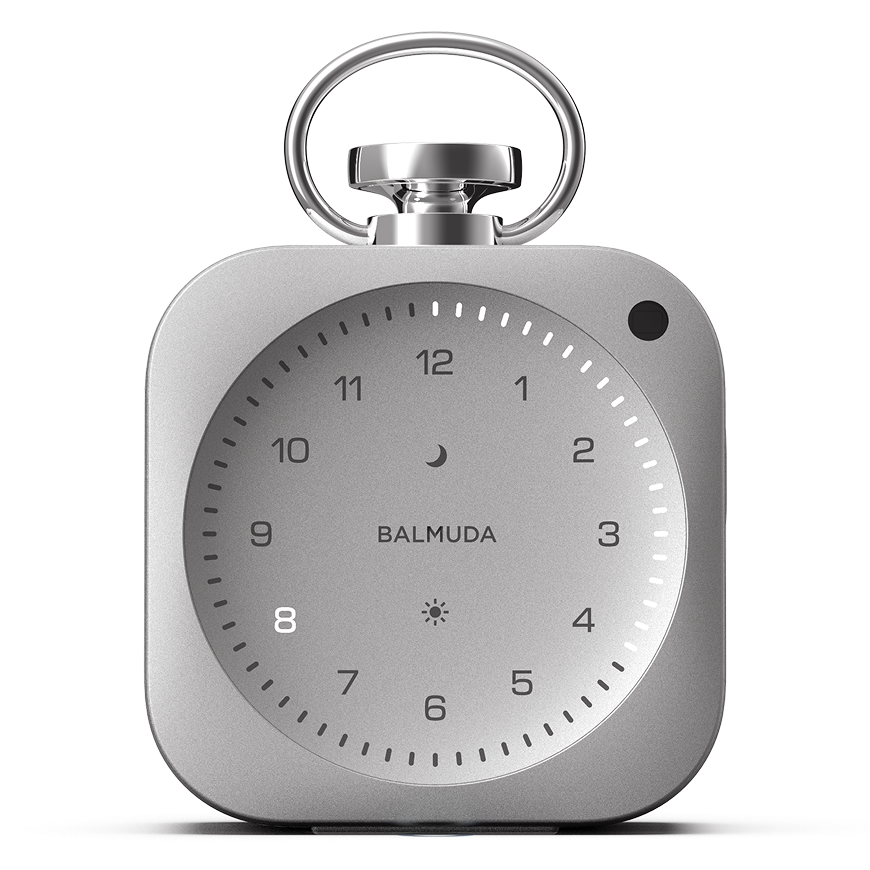


Basic Information about the Product
Included items and part names
Included items
- The Clock main unit
- Storage Bag
- Quick Start Guide
*There is one of each item.
Part names
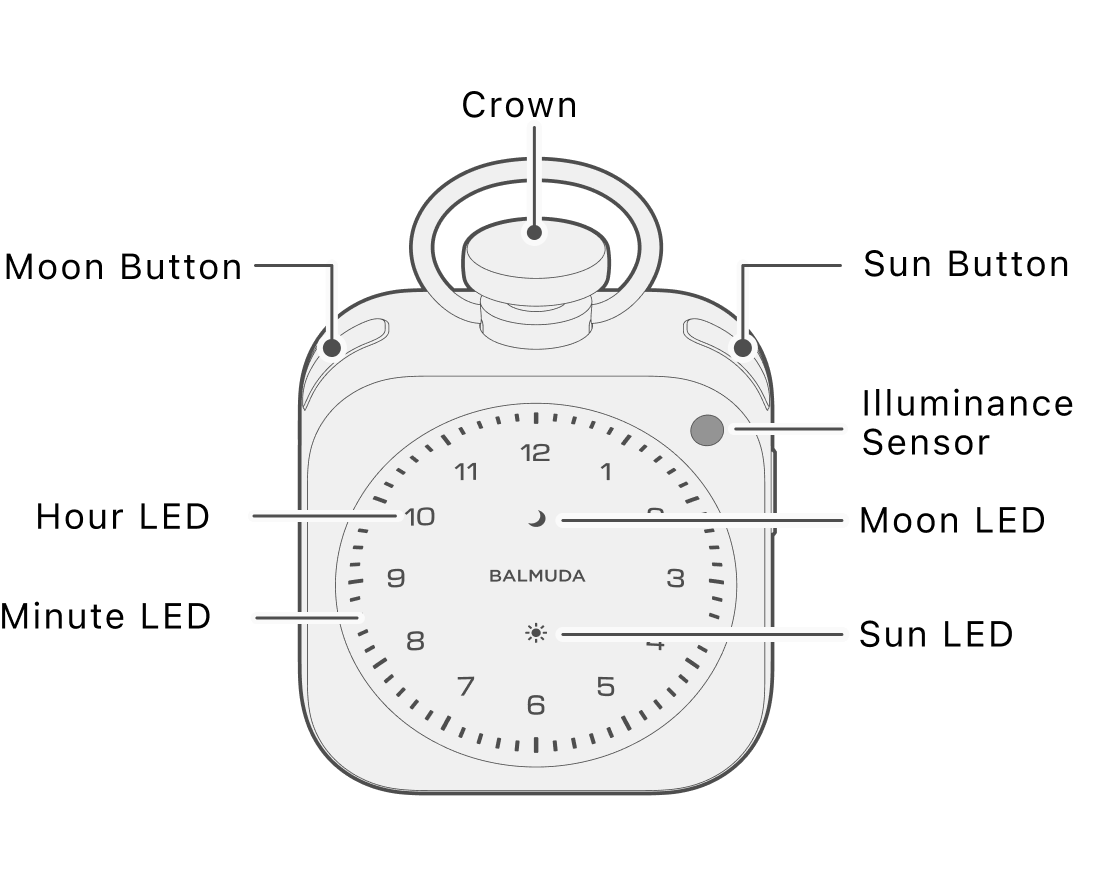
Crown
This button lets you rotate to adjust the volume or brightness, or change the time or a numeric value depending on the state, and press to Confirm.
Moon button
This button is used for each Relax Time or Night Routine function.
Sun button
This button is used to use each Alarm function.
Ambient light sensor
It senses the surrounding brightness and automatically adjusts the LED brightness.
Hour LED
These are 12 number LEDs that light up corresponding to the time. They represent the “Hour” in the time display mode, and the indication changes depending on the function.
Minute LED
These are 60 LEDs arranged outside the Hour LEDs. They represent the “Minutes” in the time display mode, and the indication changes depending on the function.
Moon LED
This LED indicates the status of Relax Time or Night Routine. It also indicates the Time setting/Battery power-saving state.
If the main unit software version is 1.3.0 or later, it indicates the status of Night Routine.
If the software version is 1.2.2 or earlier, it indicates the status of Relax Time.
Sun LED
This LED indicates the status of the Alarm. It also indicates the Time setting/Battery power-saving state.
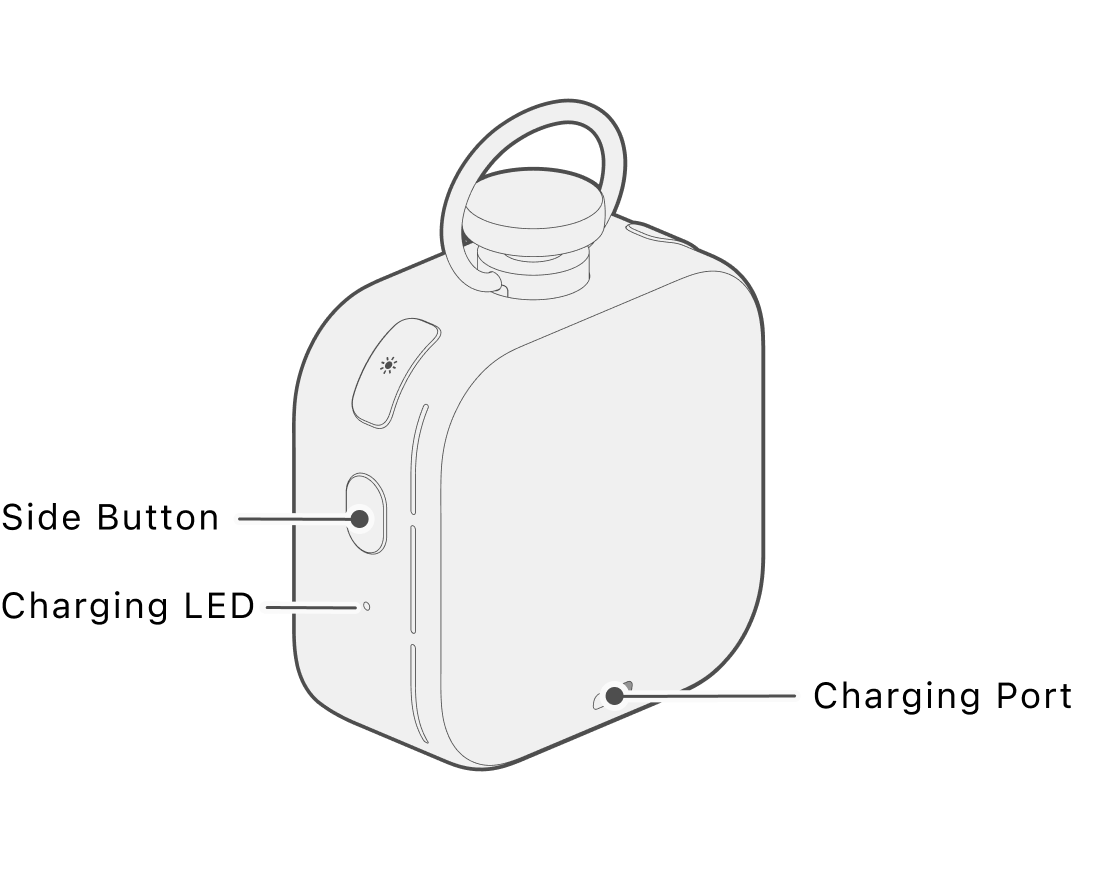
Side button
This button is used to use each Timer function. In addition to the Timer, it is also used to display the battery level.
Charging LED
This is an LED that indicates the charging status.
Charging port
This is the port used for charging.
Power on/off
Turning the power on
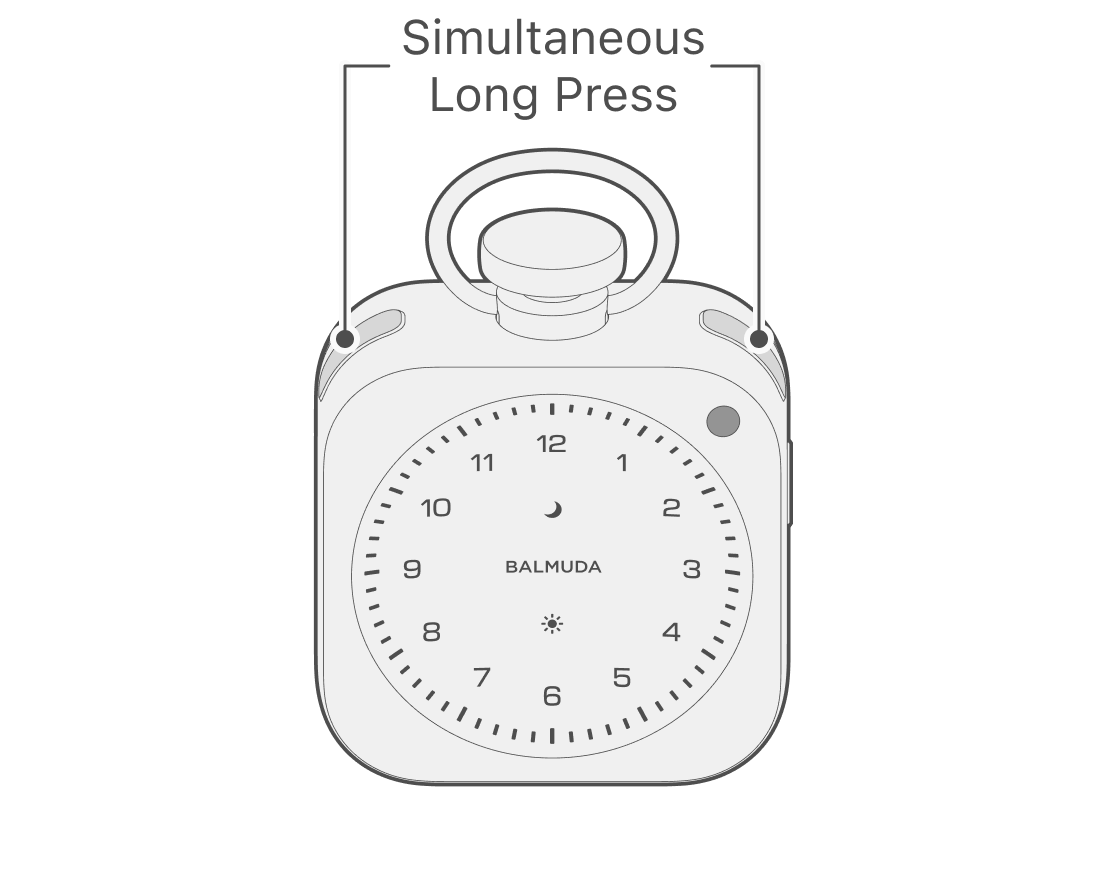
To turn the power on, press and hold the Moon button and Sun button at the same time.
Turning the power off
To turn the power off, with the power on, press and hold the Moon button and Sun button at the same time.
Charge
Charging the clock
Charge using a USB Type-C cable.
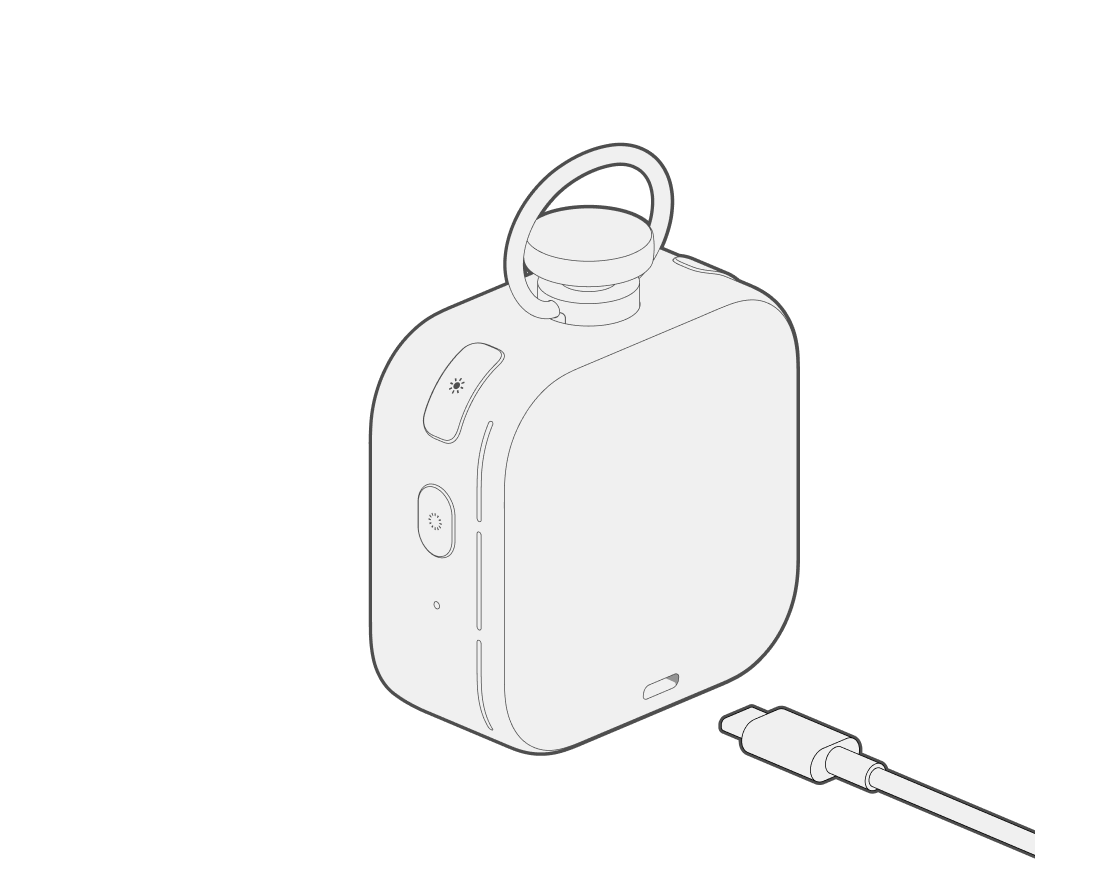
A USB power supply capable of providing 15W (5V3A) or more is required to charge The Clock. Please use a USB cable with USB-C (USB Type-C) on both ends, and an adapter or charger with a single port that can output 15 W or higher.
Operation while charging
You can check the power status using the Charging LED.
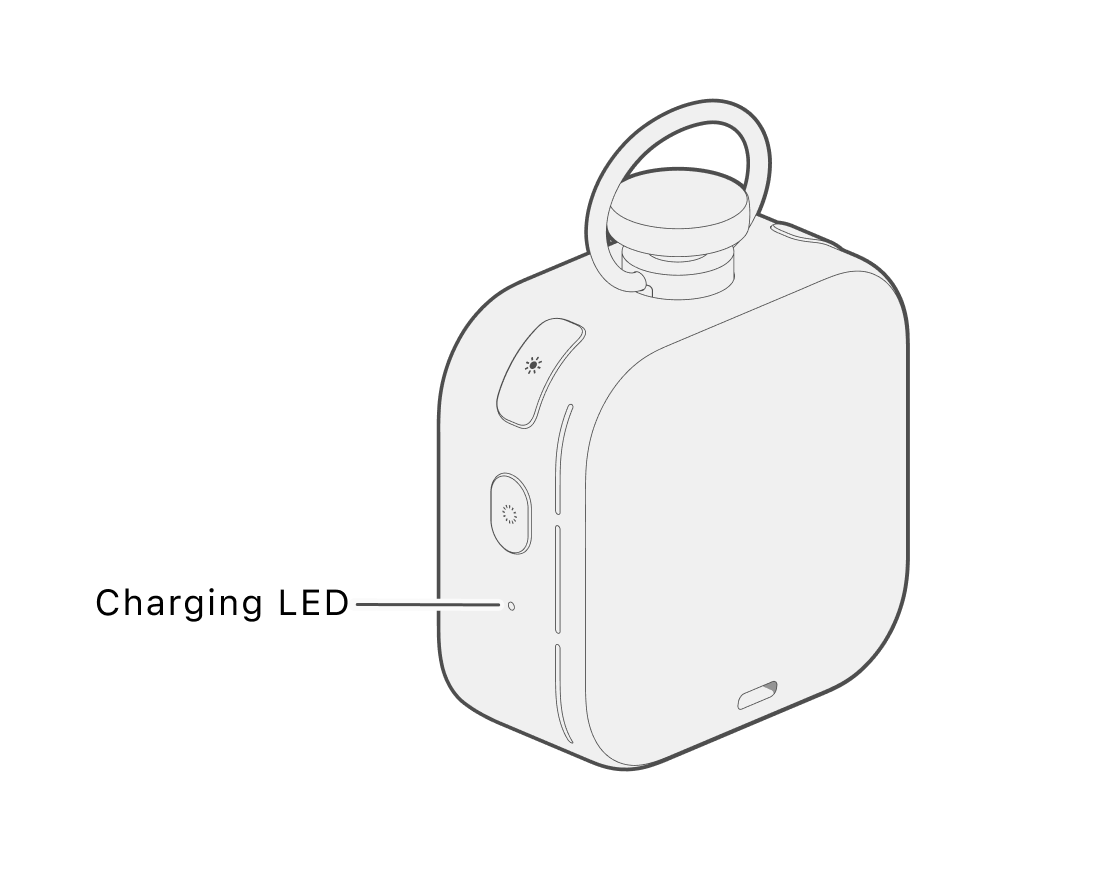
 Off :Running on battery
 On :Fully charged
 Pulsing :Charging
 Blinking :Low battery
Checking the battery level
Press the Side button once to show a visual signal that indicates the current battery level.
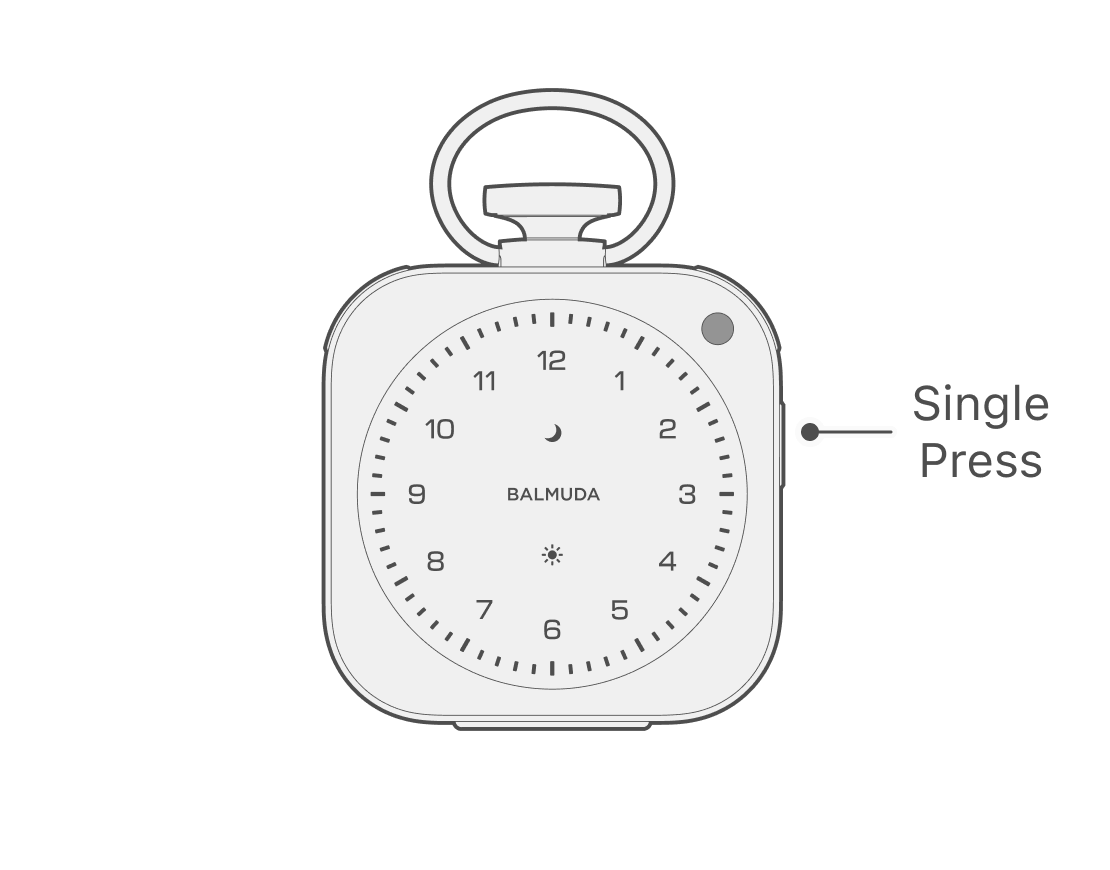
The battery level is displayed in six levels; when fully charged, all Minute LEDs are On. As the battery level decreases, fewer Minute LEDs are turned on.
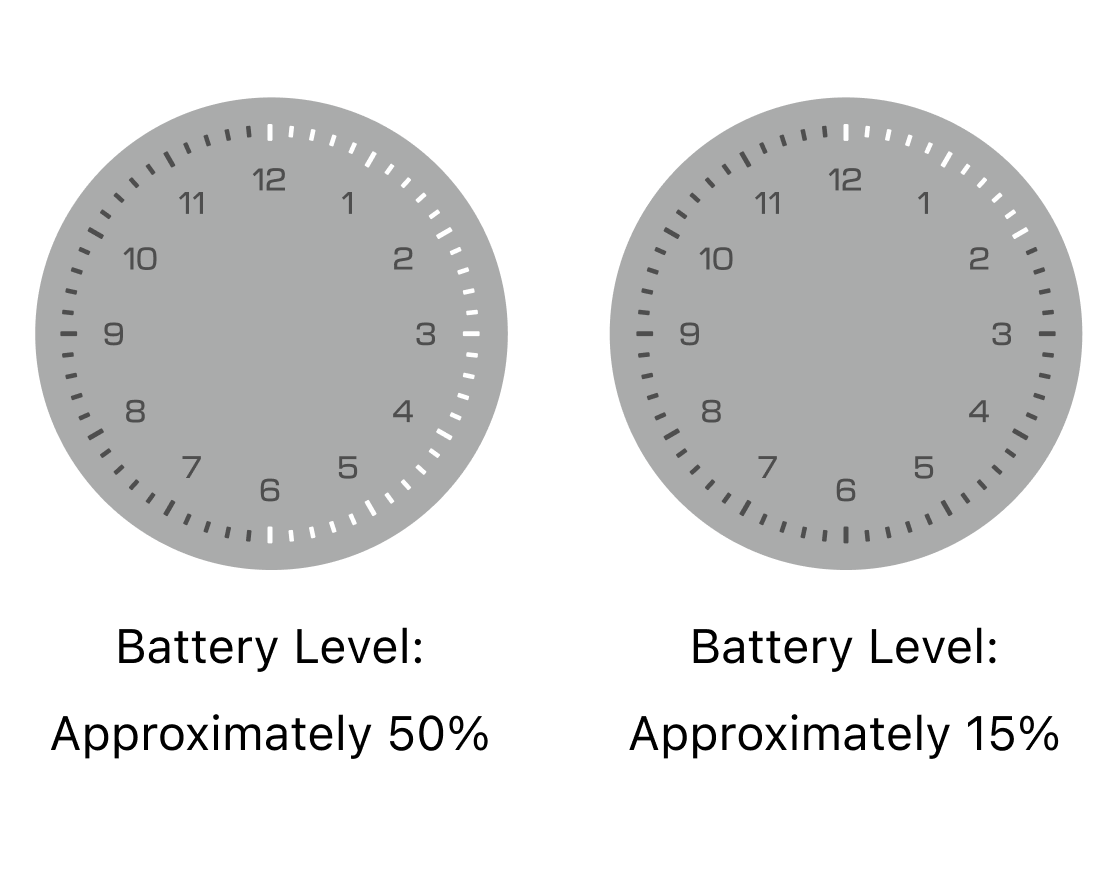
When the battery level is low
As the battery level gets low, you will be notified in stages with sound. The first notification prompts you to charge. As the battery level gets even lower, you will be notified by sound that it will transition to battery saving mode.
When the battery level drops to 15% or below, it transitions to battery saving mode. The Charging LED pulses, and the Moon LED and Sun LED blink alternately. Also, the maximum brightness and Volume are limited, and the clock display becomes Simple (without the Second hand). You will no longer be able to change Relax Time, Timer, and display Indication setting.
When the battery level is depleted
When the battery level reaches zero, the visual and audio power-off signals are turned on, and the power turns off automatically.